
Hide items, your way
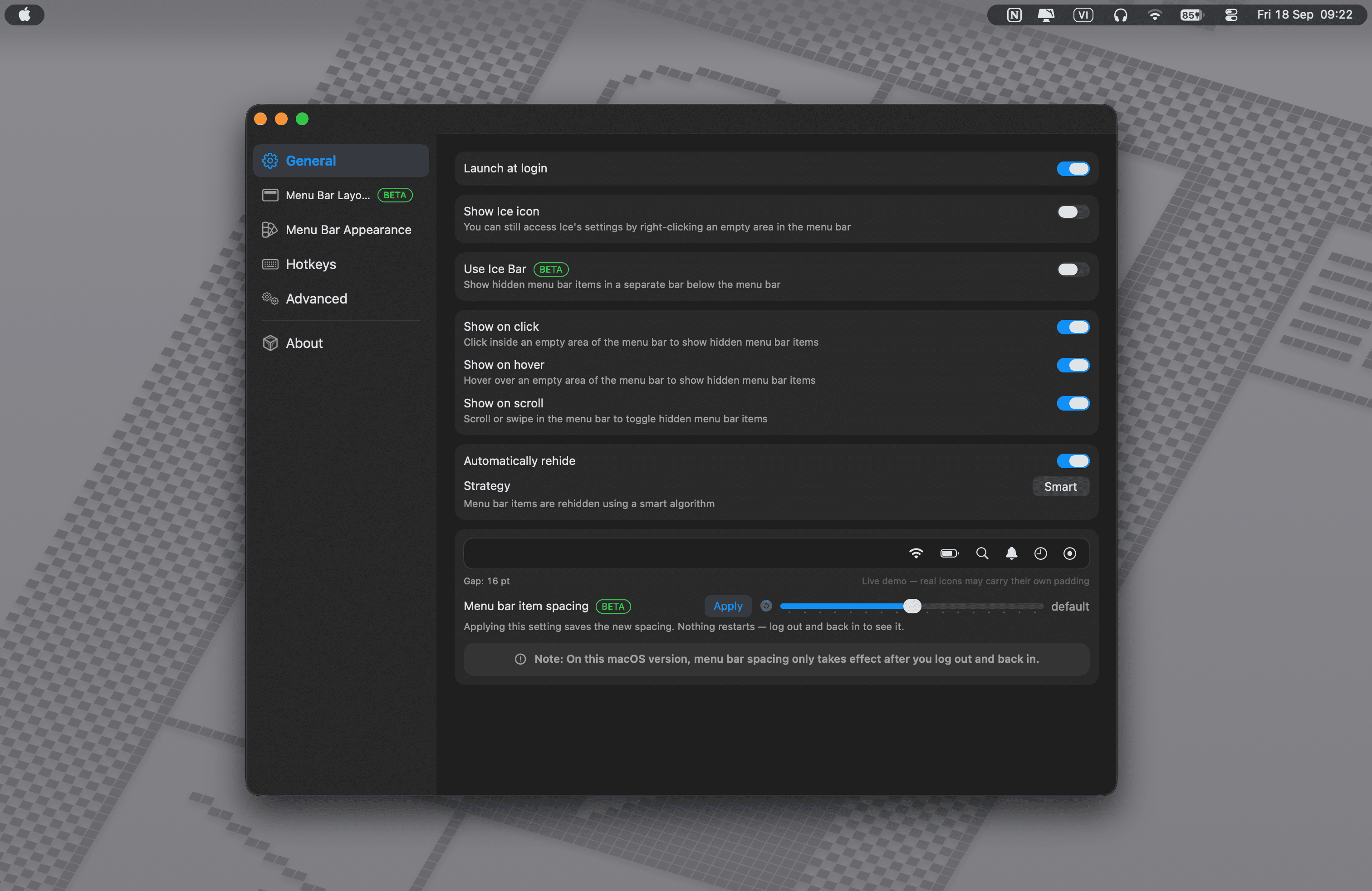
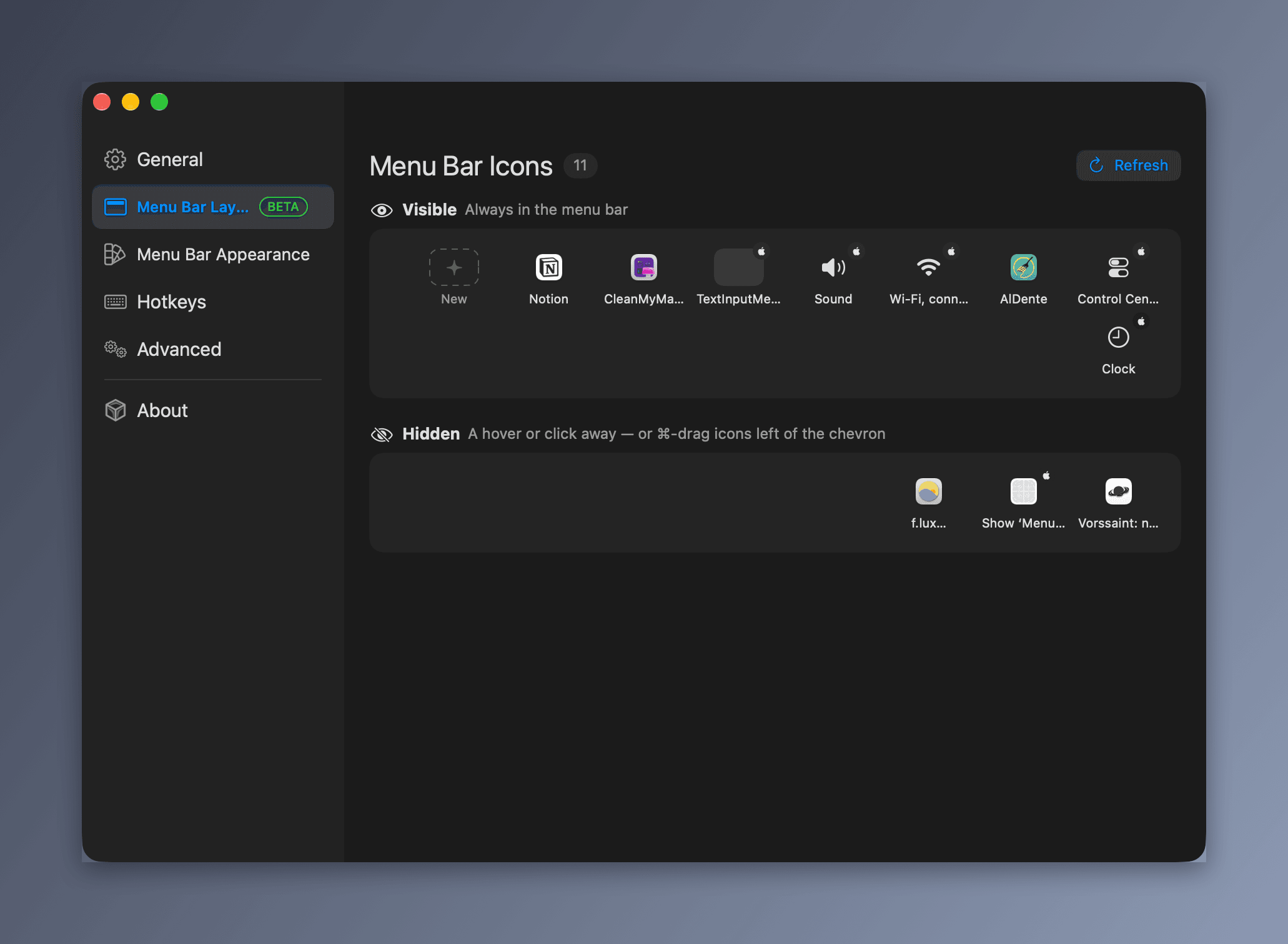
Hide items individually or all at once, with an optional always-hidden section. Reveal by hovering, clicking an empty area, or scrolling — with auto-rehide, drag-and-drop reordering, and a separate Ice Bar for notched MacBooks.

The free, open-source Bartender alternative for macOS — hide menu bar icons, reclaim space behind the MacBook notch, and keep a smooth, distraction-free desktop. Fully supports macOS 27.
Full control over the top of your screen — here's what Ice does out of the box.
Hide items individually or all at once, with an optional always-hidden section. Reveal by hovering, clicking an empty area, or scrolling — with auto-rehide, drag-and-drop reordering, and a separate Ice Bar for notched MacBooks.
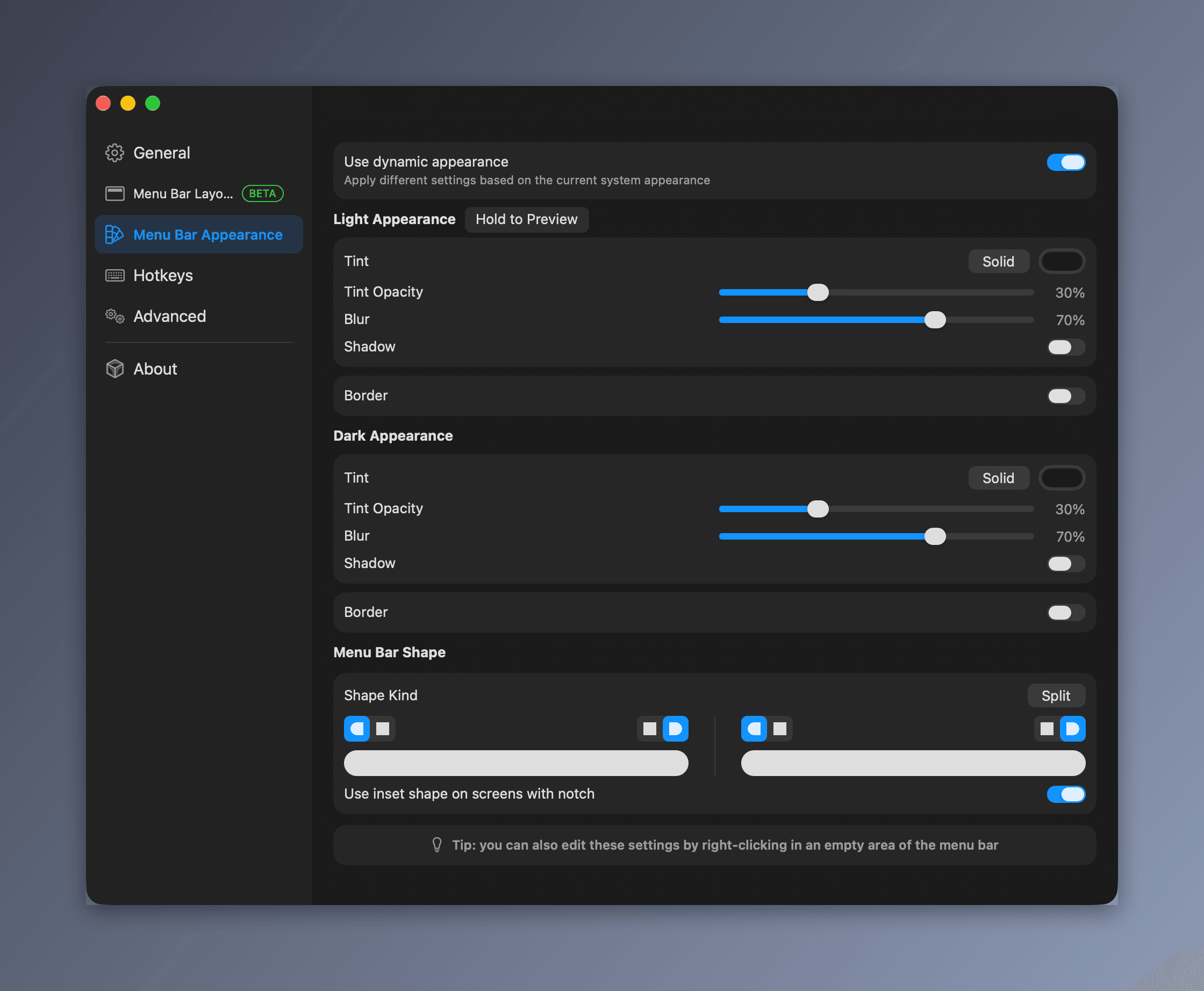
Custom menu bar tint (solid or gradient), shadow, border, and shape (rounded and/or split).
Toggle sections, the Ice Bar, divider icons, and application menus from the keyboard. Toggle sections / Ice Bar.
Launch at login and automatic updates. Requires macOS 14 or later — fully supports macOS 27.
Full install guide with permissions →
Tap and install — updates with brew upgrade.
brew tap cavaldos/tapbrew install cavaldos/tap/iceDownload Ice.zip from releases, unzip and move Ice into /Applications, then launch it.
Download Ice.zip — FreeGatekeeper may refuse the first launch (ad-hoc signed, not notarized). Right-click the app → Open, or run xattr -d com.apple.quarantine /Applications/Ice.app.
xattr -d com.apple.quarantine /Applications/Ice.appFrom download to a calm desktop in about two minutes.
Install via Homebrew or move Ice.zip into /Applications, then grant Accessibility + Screen Recording. A small divider appears in your menu bar.
⌘-drag any icon to the left of the Ice divider. Whatever sits past it disappears from view until you want it back.
Hover the edge, click an empty area, or press your hotkey. Hidden icons slide back in — then tuck away on their own.
Real screenshots and demos from cavaldos/Ice — no mockups.


Rather than adding features for the sake of having more features, the project prioritizes a small, focused, and reliable feature set. Every feature should have a clear purpose, integrate naturally with macOS, and maintain Ice's simplicity and performance.
Our goal is to make Ice feel fast, predictable, and unobtrusive — a tool that quietly does its job without unnecessary complexity. Tested and fully supported on macOS 27, all the way back to macOS 14 Sonoma. Ice will always remain open-source and free.

GPL-3.0 — Ice is and will always remain open-source and free. Support keeps independent development going.
Full app, all features, all future updates. No accounts, no license servers.
Move the unzipped app into /Applications.
Fund bugfixes and independent open-source maintenance.
License: GPL-3.0 — Ice is and will always remain open-source and free.
All 12 questions on one page →
Yes. GPL-3.0 — Ice is and will always remain open-source and free. Download it, use all features, inspect the source on GitHub.
Recommended: brew tap cavaldos/tap, then brew install cavaldos/tap/ice — updates with brew upgrade. Or download Ice.zip from the latest release and move the unzipped app into /Applications. No account, no installer wizard.
Two grants in System Settings → Privacy & Security: Accessibility (hiding and moving items) and Screen Recording (item images and the Ice Bar).
After every update you must grant these again. Builds are ad-hoc signed with a pinned cdhash, so the old grant no longer matches. Quit Ice, run ./script/fix-permissions.sh (or tccutil reset Accessibility / ScreenCapture com.jordanbaird.Ice), relaunch and re-grant.
That is Gatekeeper (ad-hoc signed, not notarized). Right-click the app and choose Open, or run xattr -d com.apple.quarantine /Applications/Ice.app.
Requires macOS 14 or later — fully supports macOS 27. On macOS 13 or earlier, use Ice 0.11.x from the releases page.
Contributions are welcome! Read Resources/document/CONTRIBUTING.md, then open an issue or pull request on cavaldos/Ice.
Yes — Ice covers the core Bartender workflow: hide menu bar icons individually or all at once, an always-hidden section, a second bar for notched MacBooks (the Ice Bar), hotkeys, and auto-rehide. The difference is the price: Bartender 5 costs $16, while Ice is GPL-3.0 and free forever.
Both are free and open-source. Thaw requires macOS 26 or later and adds profiles, triggers, and many languages. Ice supports macOS 14 through 27, so it is the pick for older systems or anyone who wants the classic, lightweight Ice experience.
Yes. Ice requires macOS 14 or later and fully supports macOS 27, including Tahoe. On notched MacBooks, hidden icons that macOS would swallow stay reachable in the separate Ice Bar below the menu bar.
Yes. This build is tested from macOS 14 all the way to macOS 27 — install it via Homebrew (brew tap cavaldos/tap && brew install cavaldos/tap/ice) or Ice.zip, then re-grant Accessibility + Screen Recording so it can hide menu bar items again.
For most people, Ice: free and open-source (GPL-3.0), runs on macOS 14 through 27, hides icons individually or all at once, adds a second Ice Bar for notched MacBooks, and includes hotkeys plus tint, spacing, and shape controls. Paid Bartender 5 ($16) is the pick if you need its extra power-user features.
Install via Homebrew, or download Ice.zip, move it to /Applications, grant two permissions — done.